> ## Documentation Index
> Fetch the complete documentation index at: https://docs.uxarts.ai/llms.txt
> Use this file to discover all available pages before exploring further.
# Getting Started
> Get started with UIdraft: setup, workflows, and first project in minutes.
## Overview of UIdraft
Welcome! This guide walks you through creating a UI-focused project with UIdraft.
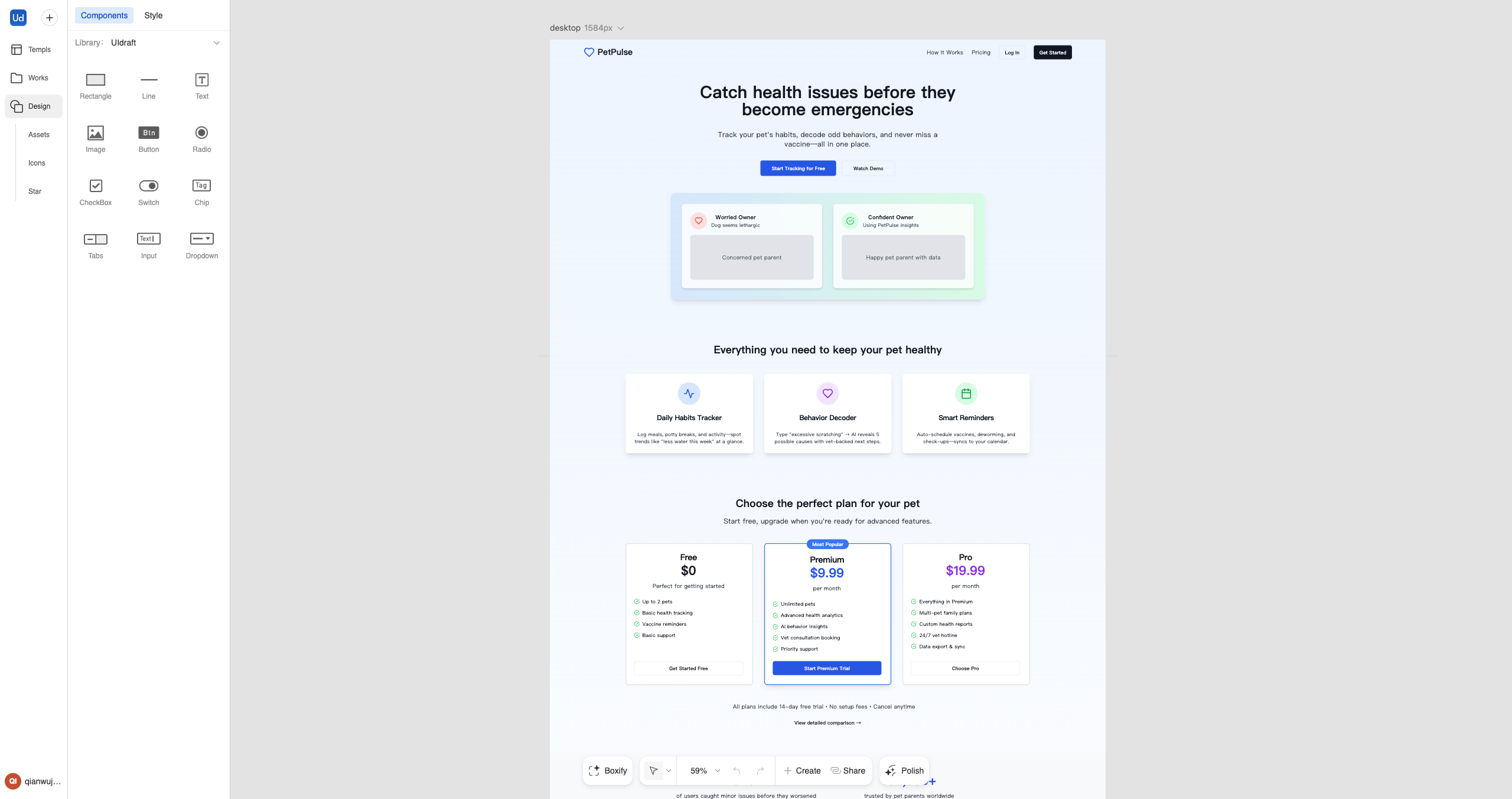 ## The UIdraft Platform Overview
Go to uidraft.ai and sign in.
Create your first project.
Start from a template or prompt, then iterate with Editable Design.
In UIdraft, you can:
## The UIdraft Platform Overview
Go to uidraft.ai and sign in.
Create your first project.
Start from a template or prompt, then iterate with Editable Design.
In UIdraft, you can:
- Start from templates and reusable patterns
- Iterate visually with Editable Design
- Use the Figma Plugin to import/export
- Preview and share drafts with a link
- Manage plans and credits
## Edit your Project
Use visual edits to fine‑tune UI (copy, colors, spacing, responsiveness, etc.).
Compose pages from reusable patterns; customize while keeping consistency.
Share a view‑only link for quick feedback, or export to Figma for further polish.
Visit the UIdraft website for product info and updates.