

Overview of UIdraft
Welcome! This guide walks you through creating a UI-focused project with UIdraft.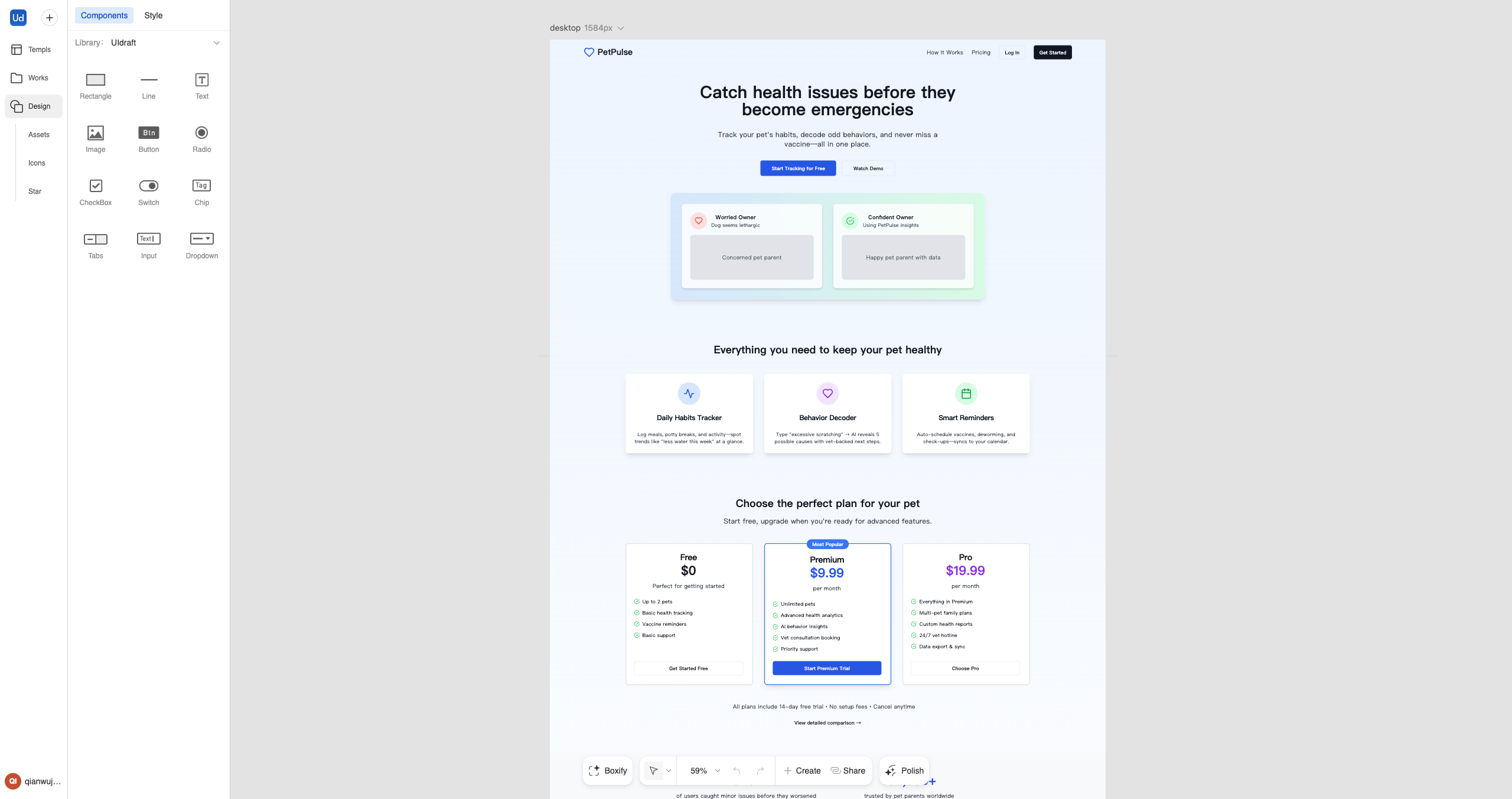
The UIdraft Platform Overview
Create your First Project
Create your First Project
1
Step 1
Go to uidraft.ai and sign in.
2
Step 2
Create your first project.
3
Step 3
Start from a template or prompt, then iterate with Editable Design.
UIdraft Dashboard
UIdraft Dashboard
In UIdraft, you can:
- Start from templates and reusable patterns
- Iterate visually with Editable Design
- Use the Figma Plugin to import/export
- Preview and share drafts with a link
- Manage plans and credits
Edit your Project
Editable Design
Editable Design
Use visual edits to fine‑tune UI (copy, colors, spacing, responsiveness, etc.).
Patterns & Components
Patterns & Components
Compose pages from reusable patterns; customize while keeping consistency.
UIdraft Website
Visit the UIdraft website for product info and updates.